Design Thinking con Tom Chi
Reportaje sobre los Encuentros de la Sociedad de la Imaginación: «Design Thinking con Tom Chi«, co-creador de las Google Glass
{youtube}QZ9wF9NeKUQ{/youtube}



Reportaje sobre los Encuentros de la Sociedad de la Imaginación: «Design Thinking con Tom Chi«, co-creador de las Google Glass
{youtube}QZ9wF9NeKUQ{/youtube}
Reportaje sobre los Encuentros de la Sociedad de la Imaginación: «Educación + Imaginación = Emprendimiento«, con Daniel Epstein, fundador del Instituto Unreasonable.
{youtube}Vfg3cWPgGjE{/youtube}
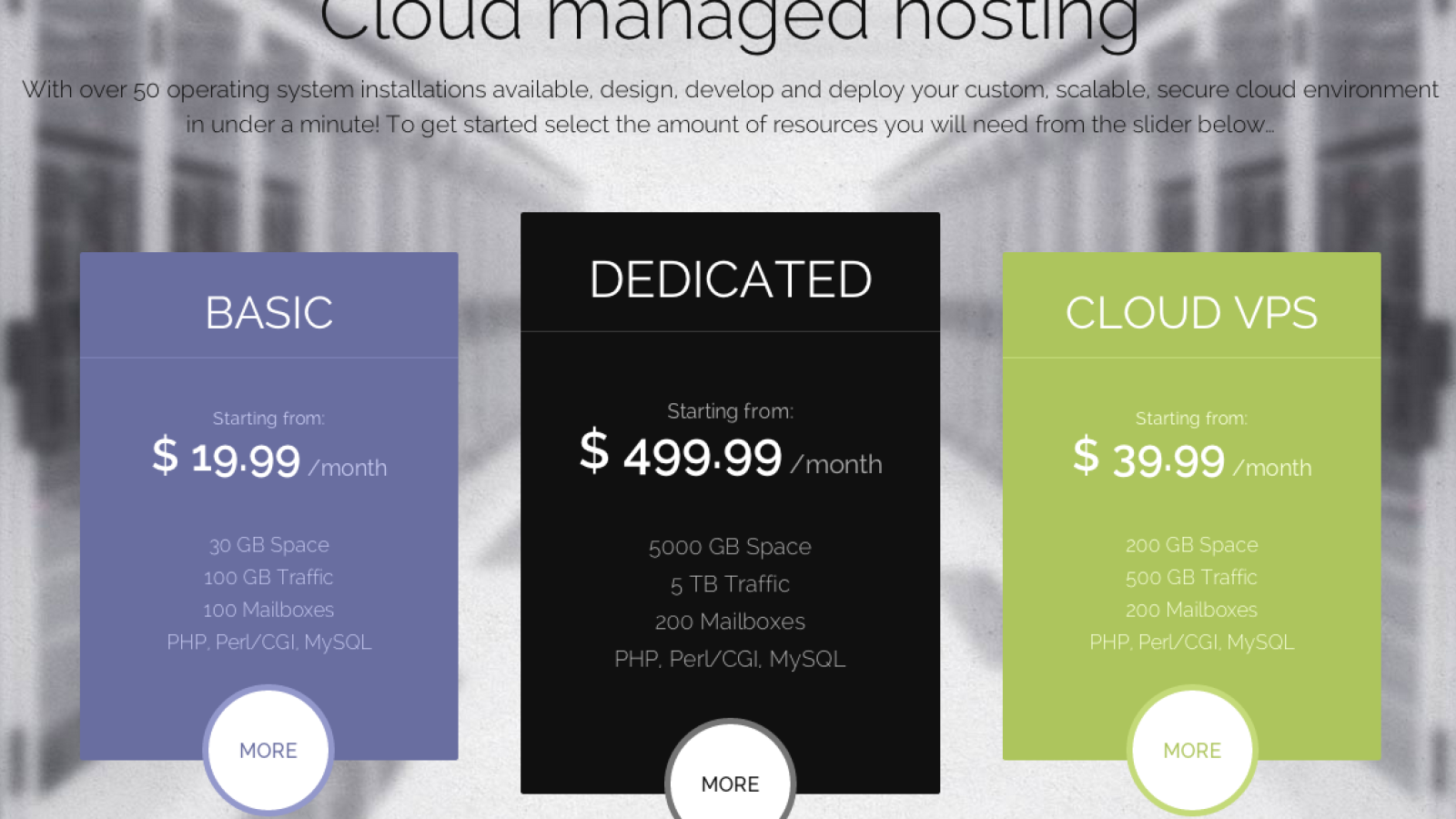
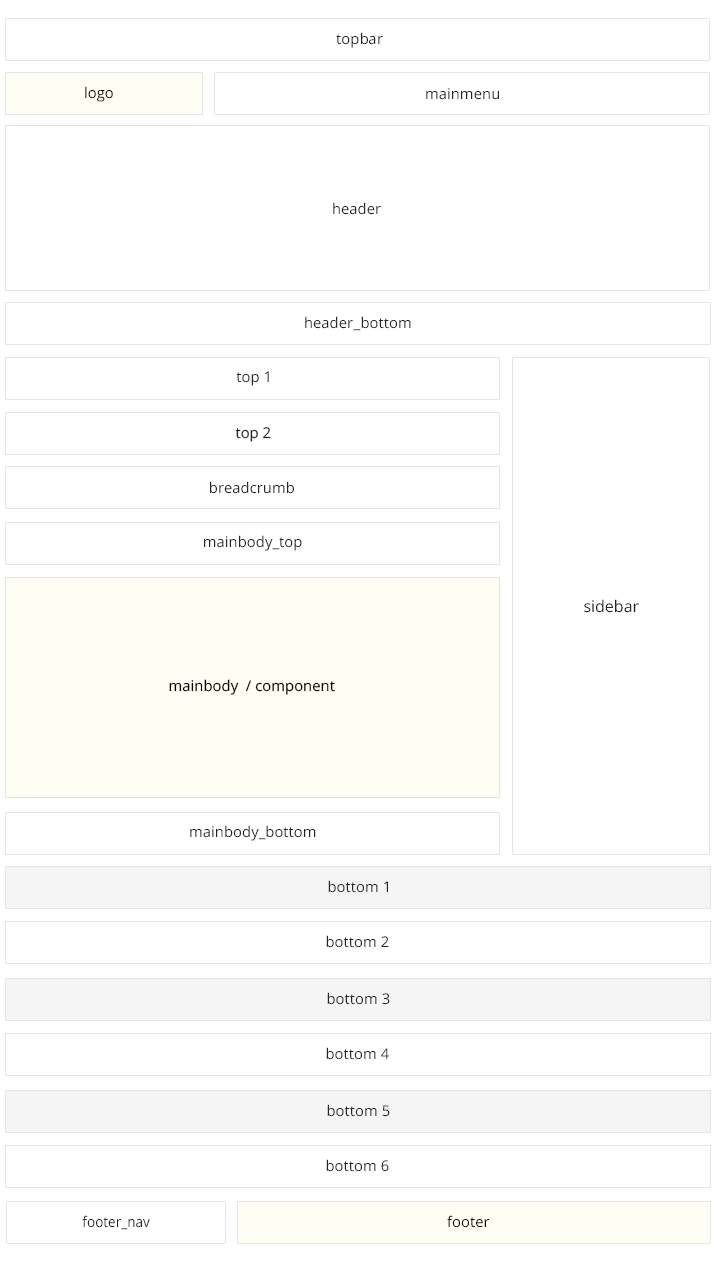
Frontpage can contain big header image if you add in the template settings (on the «Features» tab the imageBg page suffix. Additionally if you need to achieve the grey background under the mainbody, please assign to the frontpage the grey-content page suffix.
Header on the demo content contains the color price table, which uses the following HTML code:
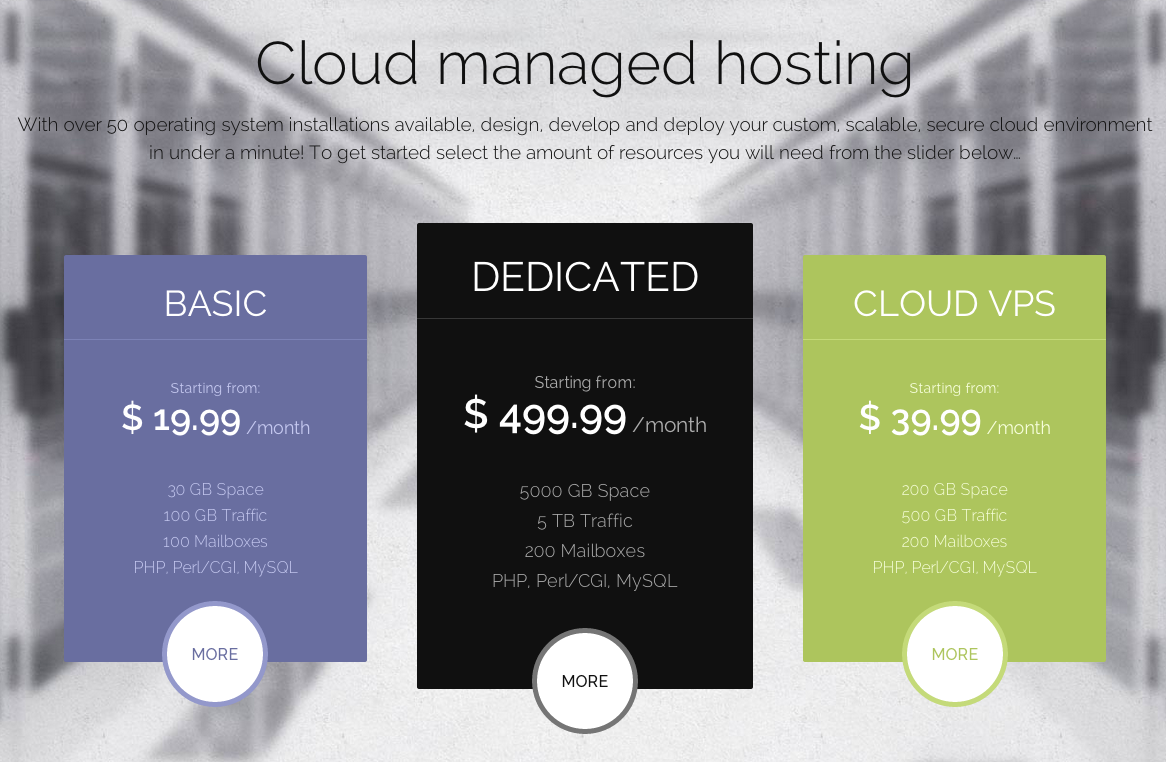
<div class="gkColorPriceTable col3">
<dl>
<dt>Basic</dt>
<dd class="gkPrice"><span>Starting from:</span>$ 19.99<small> /month</small></dd>
<dd>30 GB Space</dd>
<dd>100 GB Traffic</dd>
<dd>100 Mailboxes</dd>
<dd>PHP, Perl/CGI, MySQL</dd>
<dd class="gkLink"><a href="#" class="loaded">More</a></dd>
</dl>

<dl class="gkPremium">
<dt>Dedicated</dt>
<dd class="gkPrice"><span>Starting from:</span>$ 499.99<small> /month</small></dd>
<dd>5000 GB Space</dd>
<dd>5 TB Traffic</dd>
<dd>200 Mailboxes</dd>
<dd>PHP, Perl/CGI, MySQL</dd>
<dd class="gkLink"><a href="#" class="loaded">More</a></dd>
</dl>

<dl class="gkColor">
<dt>Cloud VPS</dt>
<dd class="gkPrice"><span>Starting from:</span>$ 39.99<small> /month</small></dd>
<dd>200 GB Space</dd>
<dd>500 GB Traffic</dd>
<dd>200 Mailboxes</dd>
<dd>PHP, Perl/CGI, MySQL</dd>
<dd class="gkLink"><a href="#" class="loaded">More</a></dd>
</dl>
</div>
Similary to the normal price table, you have to use at least two CSS classes: gkColorPriceTable and colX class (it defines how many columns your price table will contain – you can use classes col1 – col4).
If you want to highlight some column, please use in the dl element the gkPremium class. You can apply the second color to the price table columns using in the dl elements the gkColor CSS class.

Domain search form uses the following structure:
<form class="gkDomainSearch" action="#">
	<label>Search Domains</label>
	<input type="text" placeholder="Start your domain search">
        <select class="gkBigSelect">
		<option value=".com" selected="selected">.com</option>
		<option value=".net">.net</option>
		<option value=".info">.info</option>
		<option value=".org">.org</option>
		<option value=".biz">.biz</option>
		<option value=".me">.me</option>
		<option value=".tv">.tv</option>
	</select>
	<input type="button" value="Search">
</form>
All elements with the gkBigSelect class are replaced with the CSS-styled UI control.
We have used in a few places a simple mechanism of the columns in the content. You can create 2,3 or even 4-column layout in the single module using the following structure:
<div class="gkColumns" data-cols="X">
<div>
// … column content
</div>
...
</div>
Amout of columns is specified in the data-cols attribute and should be in range 1-4.
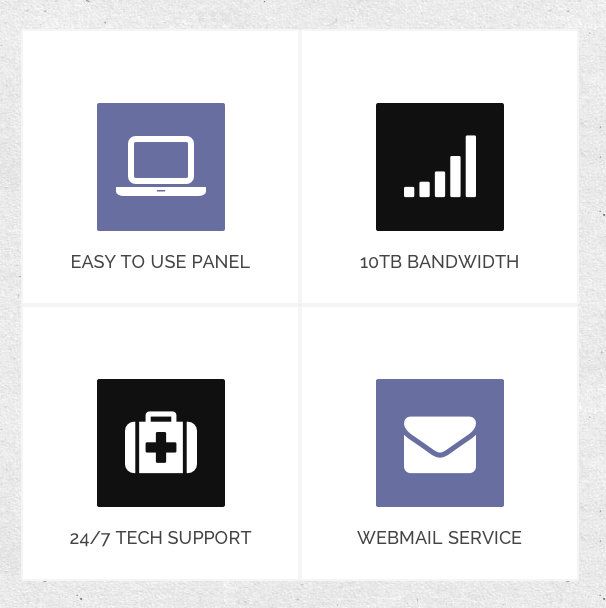
You can create a lot of big icons with links using the Font Awesome set.
The icons should be placed in group in the .gkIcons container.
Every icon can be defined as:
<div class="gkIcon animated">
    <a href="#">
        <i class="icon-laptop"></i>
        <span>Easy to use panel</span>
    </a>
</div>
The main element contains two classes – gkIcons (necessary) and animated (optional). The second class should be used if you want to animate the icons during the scrolling.
The span element creates the optional title of the icon.
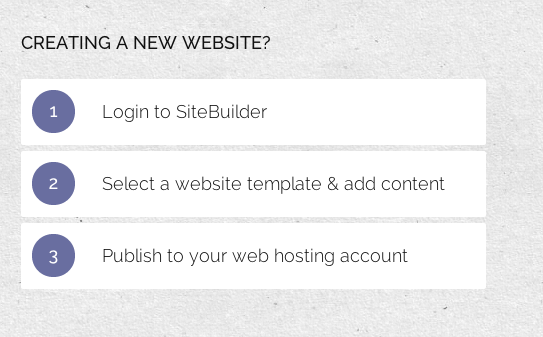
Another animated structure – points. It is a great typography element for the process description. It uses the following structure:
<ul class="gkPoints">
<li><span>1</span> Login to SiteBuilder</li>
<li><span>2</span> Select a website template & add content</li>
<li><span>3</span> Publish to your web hosting account</li>
</ul>
The structure needs just two things: gkPoints class and span elements inside every list element.

If you want to put small text, you can use the small element with the gkDetails class:
<small class="gkDetails">Lorem ipsum dolor</small>

Another useful element on the hosting/service pages: block with title, description and button:
<div class="gkFrame">
    <a href="#" class="button">Live Chat</a>
    <h4>Need more power? Talk to our Live Sales Team! </h4>
    <p>Get the Flexibility,Performance and Power your business needs now.</p>
</div>
Please remember that the button should be placed as the first element (important for the responsive behaviour of the block).

The last and the most complex structure. Testimonials are based on two possible layouts – with and without additional links – you can enable optional links at the end of the each row using the data-extralinks attribute:
<div class="gkTestimonials" data-extralinks="on">
<div>
<div><img src="/_updates/joomla25/cloudhost/images/demo/testimonial1.jpg" alt="Testimonial I"><blockquote><p>I really enjoyed CloudHost very much, I’m looking forward to using it on larger projects.</p><strong>Company, ltd.</strong></blockquote></div>
<div><img src="/_updates/joomla25/cloudhost/images/demo/testimonial2.jpg" alt="Testimonial II"><blockquote><p>I really enjoyed CloudHost very much, I’m looking forward to using it on larger projects.</p><strong>Company, ltd.</strong></blockquote></div>
<div class="gkText"><div><p>Our customers love us.<br>We are rated 4.99 / 5.00</p></div></div>
</div>

<div>
<div><blockquote><p>I really enjoyed CloudHost very much, I’m looking forward to using it on larger projects.</p><strong>Company, ltd.</strong></blockquote><img src="/_updates/joomla25/cloudhost/images/demo/testimonial3.jpg" alt="Testimonial III"></div>
<div><blockquote><p>I really enjoyed CloudHost very much, I’m looking forward to using it on larger projects.</p><strong>Company, ltd.</strong></blockquote><img src="/_updates/joomla25/cloudhost/images/demo/testimonial4.jpg" alt="Testimonial IV"></div>
<div class="gkLink"><div><a href="#">More testimonials</a></div></div>
</div>
</div>
Every testimonial is based on the image and the blockquote element. Image can be placed before or after the blockquote element.
The additional blocks can contain two CSS classes: gkText or gkLink. The first class is prepared for the static text – you have to put an paragraph inside a helper div container. In the second case insted of paragraph you have to use a link.
If you want to avoid the animation effect of the specific elements, the easiest way to disable the animation will be adding the loaded class to these elements. Then the elements will achieve the final state added during the animation.

Price table Custom HTML is based on the following structure:



<div class="gkPriceTable col3">
          <dl>
                    <dt>Basic<small>The normal price</small></dt>
                    <dd class="gkImage"><img src="/_updates/joomla25/cloudhost/images/demo/server1.jpg" alt="Server I">
                    </dd><dd>
                    </dd><dd><strong>1000 GB</strong> Space</dd>
                    <dd><strong>2 CPU</strong> Core 2.4GHz</dd>
                    <dd><strong>5 TB</strong> Traffic</dd>
                    <dd><strong>99.99%</strong> Uptime Guarantee</dd>
                    <dd class="gkPrice"><strong>$ 199.99</strong> <a href="#" class="button">Order now</a></dd>
          </dl>
          <dl class="gkPopular">
                    <dt>Super<small>The most popular</small></dt>
                    <dd class="gkImage"><img src="/_updates/joomla25/cloudhost/images/demo/server2.jpg" alt="Server II">
                    </dd><dd>
                    </dd><dd><strong>2000 GB</strong> Space</dd>
                    <dd><strong>4 CPU</strong> Core 2.4GHz</dd>
                    <dd><strong>5 TB</strong> Traffic</dd>
                    <dd><strong>99.99%</strong> Uptime Guarantee</dd>
                    <dd class="gkPrice"><strong>$ 299.99</strong> <a href="#" class="button">Order now</a></dd>
          </dl>
          <dl>
                    <dt>Extreme<small>For fanatics</small></dt>
                    <dd class="gkImage"><img src="/_updates/joomla25/cloudhost/images/demo/server3.jpg" alt="Server III">
                    </dd><dd>
                    </dd><dd><strong>5000 GB</strong> Space</dd>
                    <dd><strong>6 CPU</strong> Core 2.4GHz</dd>
                    <dd><strong>5 TB</strong> Traffic</dd>
                    <dd><strong>99.99%</strong> Uptime Guarantee</dd>
                    <dd class="gkPrice"><strong>$ 499.99</strong> <a href="#" class="button">Order now</a></dd>
          </dl>
</div>
The main wrapper contains two classes: the gkPriceTable class is required, second class is used to specify the amount of columns – you can use classes col1–col5.
Every column is specified by dl element (with gkPopular class the column will be highlighted) – in the dt element you can specify the table column title. In the dd element with gkPrice class you can specify the price – using the small element you can specify te service period time.
Adding of the button at the bottom is very simple – it needs just to add the link element in the dd element with the gkPrice class. Additionally you can specify the price in the strong element.


La Fundación Centro de Estudios Presidente Rodríguez Ibarra (Fundceri) y la Fundación Caja de Extremadura organizaron ésta actividad, que tuvo lugar el día 28 de Noviembre de 2012, en el Círculo de Bellas Artes (Madrid).
Mesa Redonda de Rodríguez Ibarra en el Big Tent de Google. “Internet y la libertad de Expresión”.
{youtube}vRsuwWUGReQ{/youtube}
Lorem ipsum dolor sit amet, consectetur adipiscing elit. Proin posuere nisi quis odio egestas non tempus est sollicitudin. Nulla facilisi. Pellentesque tempus suscipit nulla sed tempor. Phasellus et lorem id libero fermentum molestie sit amet sit amet mi. Quisque ultrices, neque et laoreet dictum, arcu sapien pulvinar odio, in aliquam mi dui eu leo. Nullam posuere, arcu et egestas fermentum, enim purus fermentum diam, quis porta mauris lectus ut odio. In tincidunt dapibus malesuada. Integer a lorem ligula. In tincidunt augue eget velit convallis nec pharetra eros tincidunt. Maecenas et tortor libero, vel malesuada est.
Quisque magna tellus, condimentum a porttitor eu, fermentum nec enim. Aenean et erat nec lectus adipiscing auctor. Sed tellus sapien, condimentum eget tristique ac, faucibus sed nisi. Curabitur pretium porta pulvinar. Integer cursus venenatis dictum. Morbi massa est, ultricies ut ultrices vitae, hendrerit vitae tellus. Duis a nulla quis tellus lacinia tristique.
Ut dignissim aliquet nibh tristique hendrerit. Donec ullamcorper nulla quis metus vulputate id placerat augue eleifend. Aenean venenatis consectetur orci, sit amet ultricies magna sagittis vel. Nulla non diam nisi, ut ultrices massa. Pellentesque sed nisl metus. Praesent a mi vel ante molestie venenatis.
Donec sed odio dui. Cras mattis consectetur purus sit amet fermentum. Nullam quis risus eget urna mollis ornare vel eu leo. Donec id elit non mi porta gravida at eget metus. Etiam porta sem malesuada magna mollis euismod. Cras justo odio, dapibus ac facilisis in, egestas eget quam.
Joomla! offers three different types of messages. Creatings standard information about Joomla! system is presented depending on a message type as follows: